Stop Searching In Your Files AND Then Searching In Your Emails. Do This In One Place!

If you ask “Where are we at with this project?” you are forced to search through emails and files. With Sensifile you just visit the project folders and see everything in a timeline, bringing you up to speed in seconds!
Your files and emails are two sides of the same story. Why not bring them together into one place, and make them fully searchable?
Files on one side, email on the other. The only thing that knows where a document lives, and which message belongs with it, is you.
Sensifile turns the folders you already have into the categories your email flows into. Open a project and its files and emails sit in one timeline. You stop delving between two systems, because Sensifile has already joined them for you.
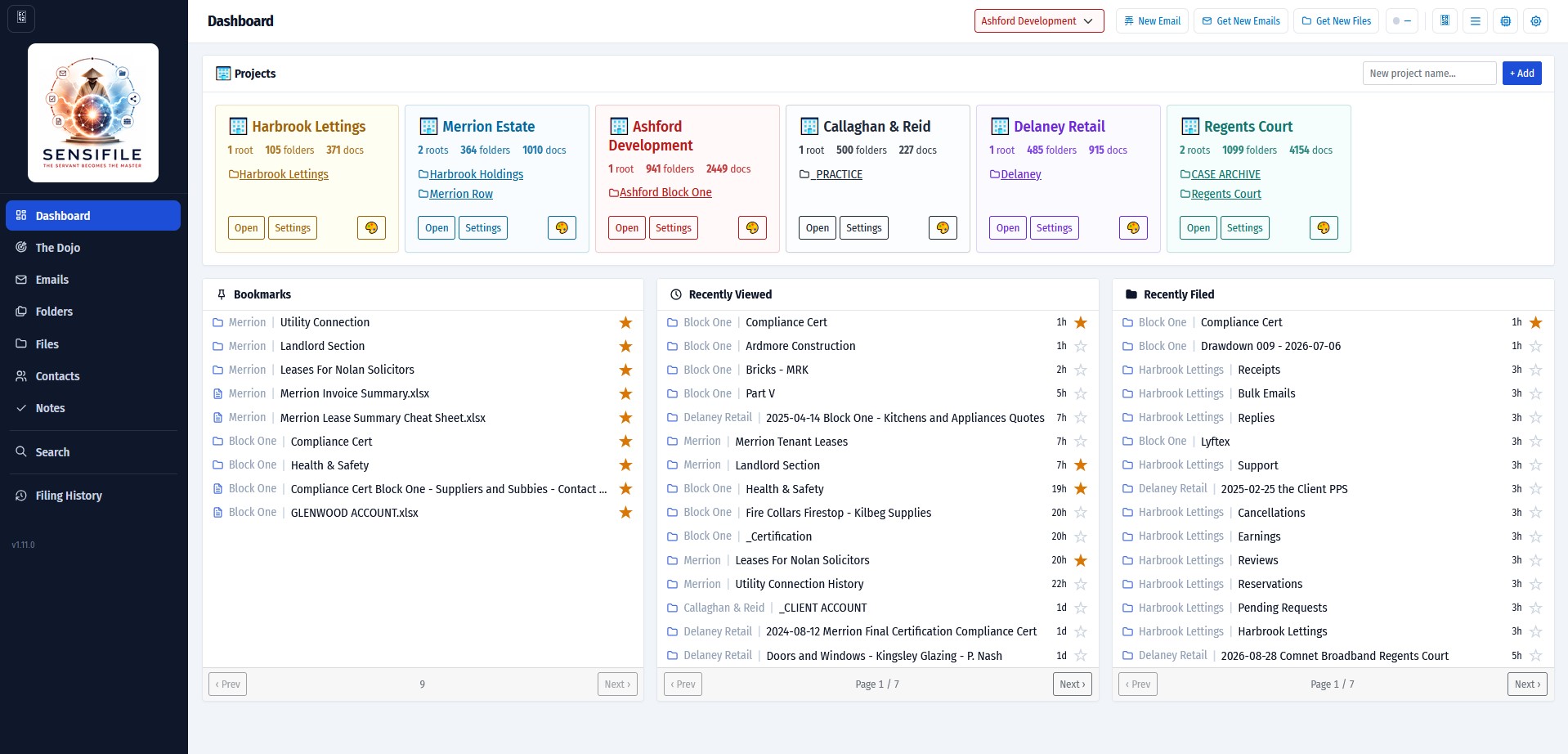
Once you have all your files and folders at your disposal, the dashboard makes it easy to jump into any of the areas you are working on. Bookmark important folders, files or emails, and it even remembers where you were last working, so you can jump straight back in.
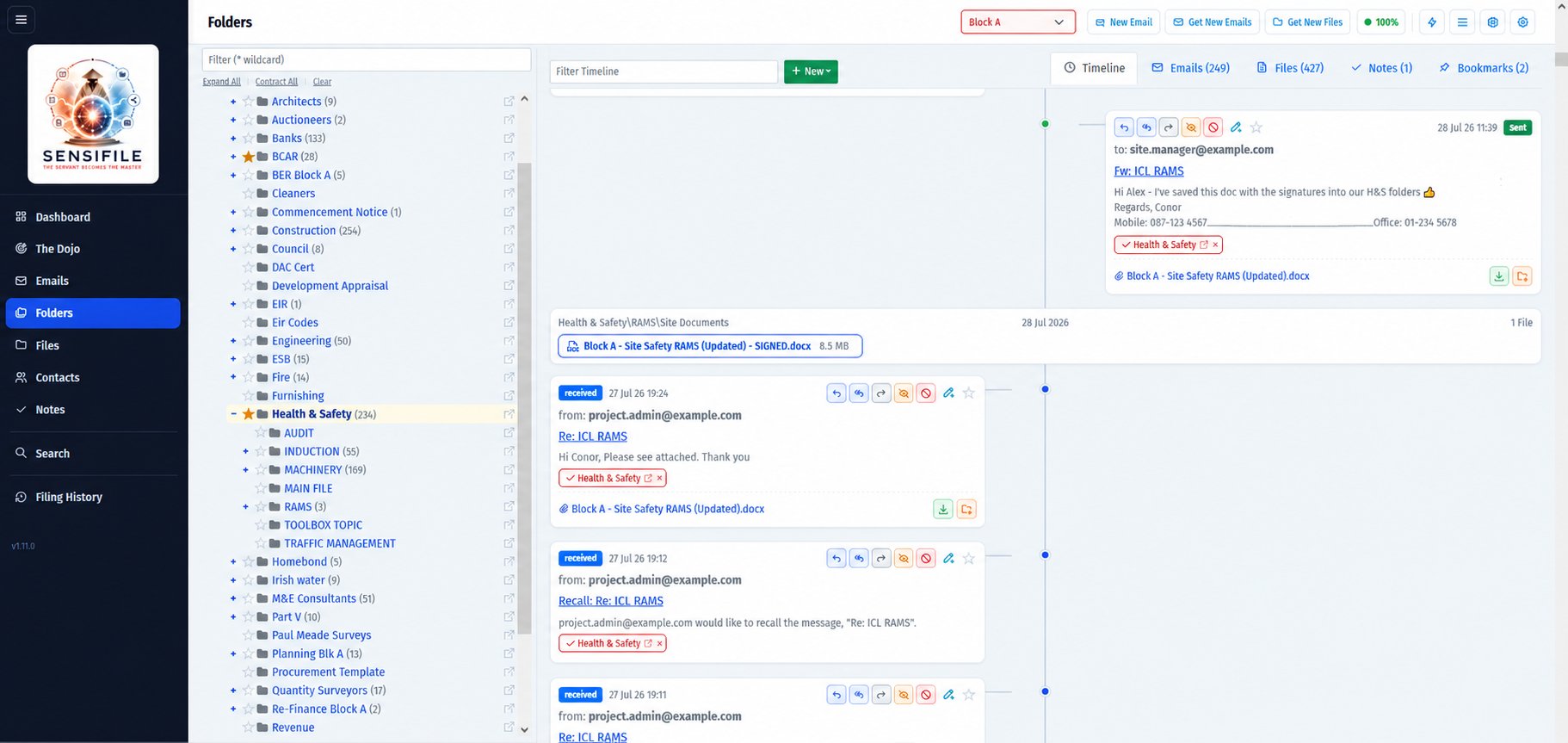
The folders view is the real power of the system. It is where your filing system and your emails come together. See the full timeline, or a simpler view of files and emails, and work directly from this one screen, replying to people and filing newly received attachments with a single click.
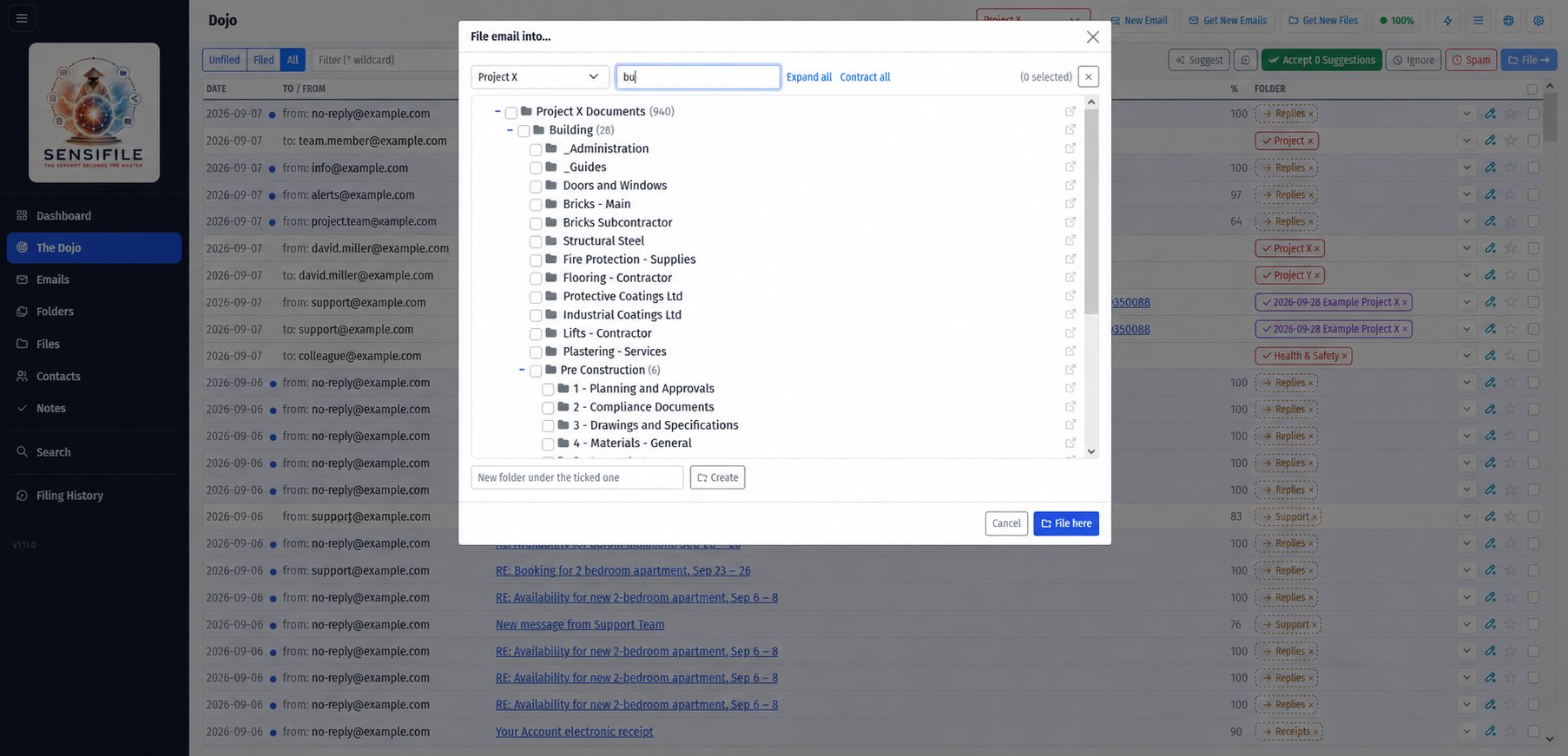
The email Dojo is where Sensifile learns your filing patterns. After a while it suggests where each email should be stored with up to 98% accuracy. Keep your email stream neat and tidy, the easy way.
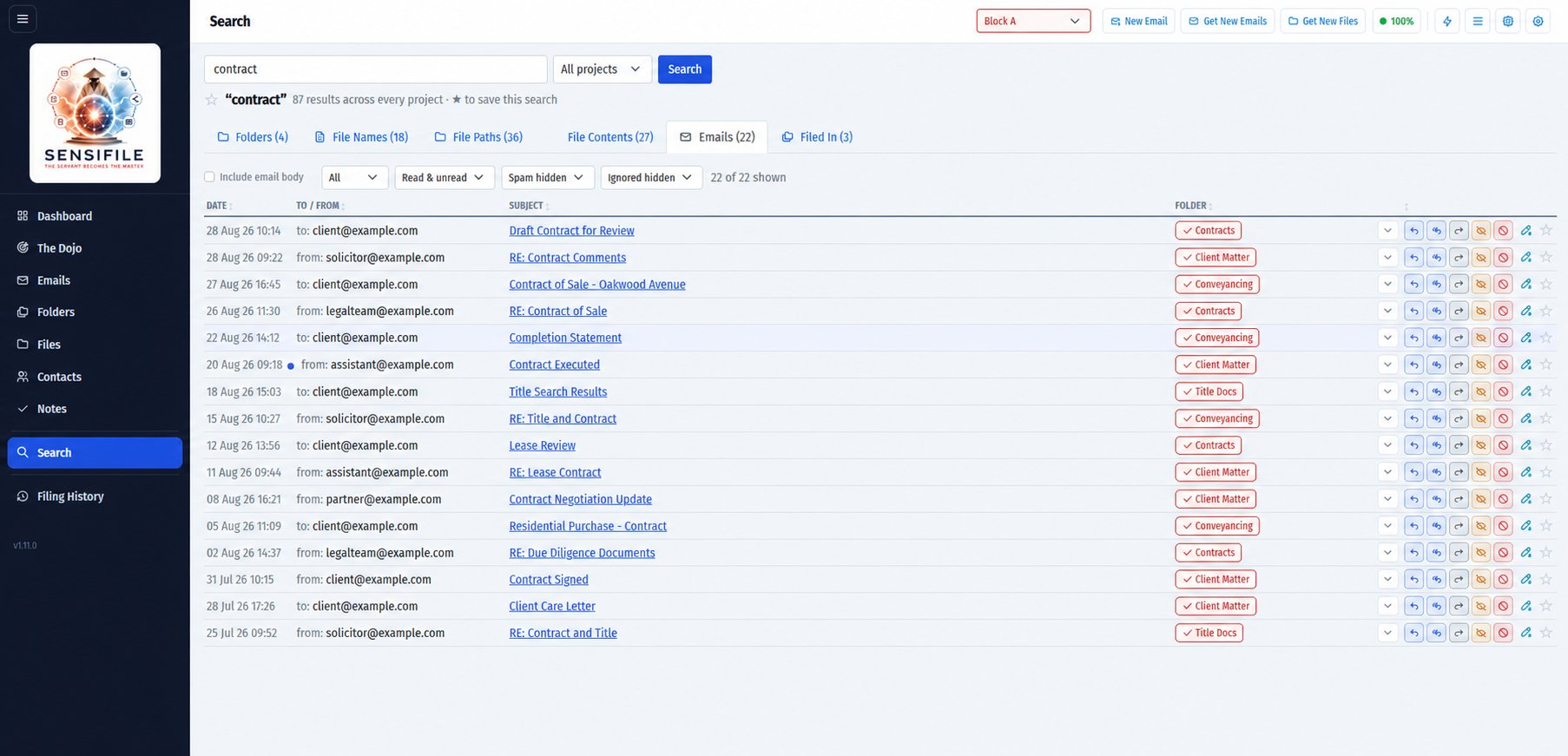
Global Search is the outcome. Global Search is what you have always needed! Enter one phrase and search absolutely everything in your universe, across ALL projects. The full historical record of everything is kept, exactly where you need it!
Files · Folders · File Names · File Contents · Emails · Attachments · Contacts